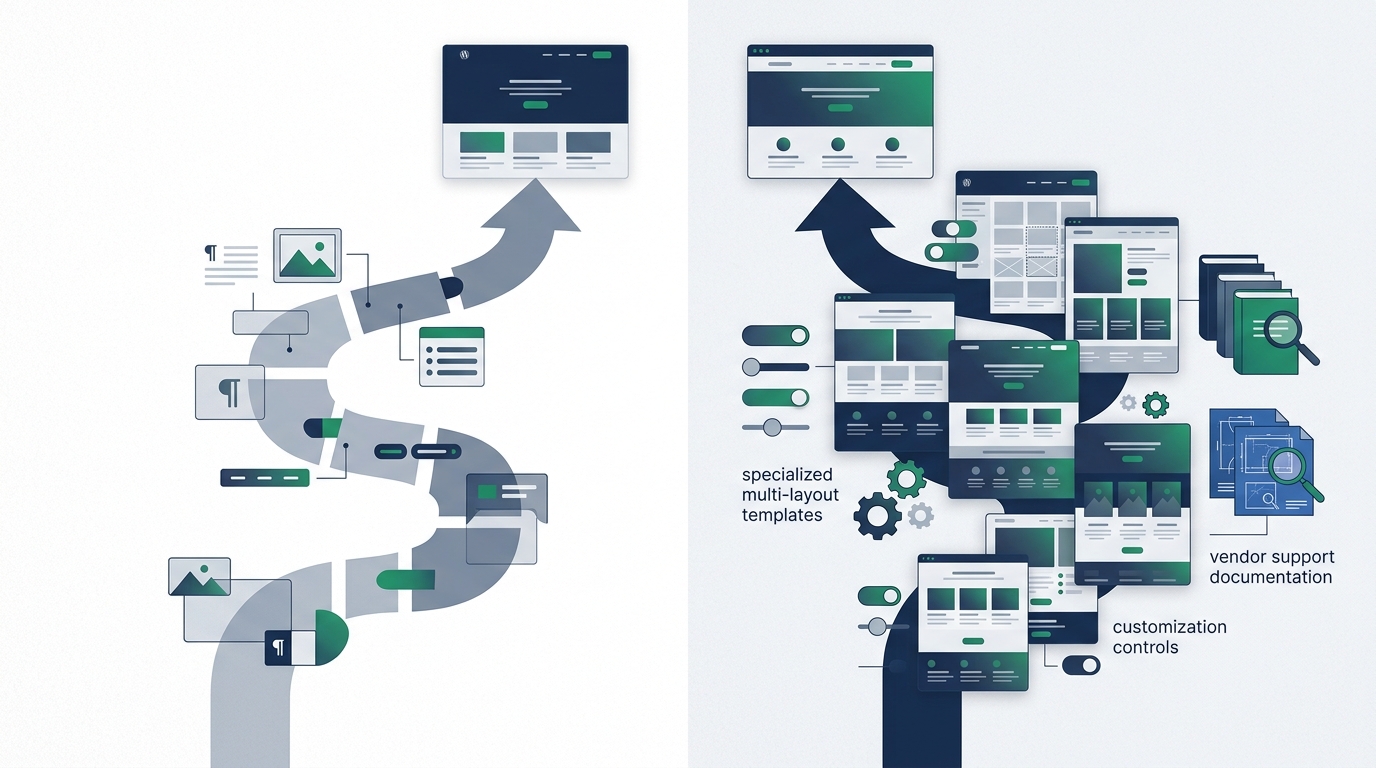
When building a WordPress website, one of the most frequent dilemmas creators face is deciding whether to select a free theme or purchase a commercial premium license. With tens of thousands of free options in official repositories and countless commercial templates marketed across independent developer shops and marketplaces, the decision can quickly feel overwhelming.
Unfortunately, widespread marketing tropes have created a persistent false dichotomy: the assumption that "free themes are cheap, stripped-down, or insecure," and that "premium themes are inherently superior, faster, and more professional."
In reality, neither assumption reflects modern WordPress architecture. A well-engineered free theme can serve as a lean, secure, and lightning-fast foundation for an authoritative business website. Conversely, a bloated, poorly coded premium theme bundled with redundant slider plugins and heavy animation scripts can degrade server performance and create technical lock-in.
There is no universal winner. The right choice is fundamentally contextual: it depends on your specific website requirements, design scope, customization comfort, technical support needs, plugin stack, update expectations, and ongoing budget. In our previous guide on how to choose a WordPress theme for your website, we established the foundational criteria for evaluating responsive layouts and code quality. This guide takes a deep, objective dive into comparing free versus premium themes so you can make an informed decision for your project.
What Is the Difference Between a Free and Premium WordPress Theme?
At a foundational code level, all WordPress themes serve the same technical role: they are collections of template files, stylesheets, and scripts that interact with the WordPress core and MySQL database to render HTML in a visitor’s browser.
The distinction between "free" and "premium" primarily involves distribution channels, licensing terms, included design assets, and vendor business models:
- Free Themes: Distributed without upfront monetary cost. The vast majority of reputable free themes are hosted on the official WordPress.org Theme Directory, where they are licensed under the GNU General Public License (GPL) and vetted through an extensive volunteer review process. Some developers also distribute free themes directly via their own websites or GitHub repositories.
- Premium Themes: Distributed under commercial licenses where access to template packages, starter demo sites, software updates, and developer support requires a paid purchase. Commercial themes are sold either directly by independent theme agencies (e.g., Kadence WP, GeneratePress, StudioPress) or through third-party marketplaces (e.g., ThemeForest).
Many modern theme authors operate under a freemium model. In this approach, a core lightweight theme is distributed free on WordPress.org, while an optional "Pro" or "Premium" add-on plugin unlocks advanced typography controls, specialized header builders, WooCommerce extensions, and direct customer support.
What Do You Usually Get With a Free WordPress Theme?
Free themes in the official WordPress repository are often misunderstood as "incomplete trial software." In truth, the WordPress Theme Review team enforces strict guidelines regarding security, accessibility, translation readiness, and standard WordPress APIs before any theme is approved.
When you install a quality free WordPress theme, you typically receive:
Zero Upfront & Recurring Cost
No purchase fees, renewal invoices, or subscription commitments. You can deploy the theme across any number of personal, commercial, or client domains without licensing restrictions.
Strict Code & Security Audits
Themes published on WordPress.org undergo automated and human code audits to ensure no obfuscated code, tracking scripts, or known security flaws are present.
Lean, Focused Feature Sets
Free themes tend to stick closely to core WordPress standards without bundling dozens of heavy third-party sliders, resulting in clean DOM trees and low baseline page weights.
One-Click Dashboard Updates
Updates are distributed directly through the standard WordPress administrative dashboard without requiring license key activations or manual ZIP file uploads.
Common Limitations of Free Themes: Customization controls are frequently restricted to basic global colors and default typography. Starter site demo libraries may include only 2 to 3 basic templates rather than dozens of specialized industry layouts. Furthermore, developer support is usually limited to community forum threads where response times depend on volunteer availability.
What Do You Usually Get With a Premium WordPress Theme?
Commercial premium themes cater to website creators, businesses, and agencies that require specialized visual presentation, deep layout customization, or expedited setup workflows.
Depending on the specific vendor, purchasing a premium theme license often includes:
- Extensive Starter Site Libraries: Dozens of pre-designed demo websites tailored to specific industries (e.g., law firms, restaurants, fitness studios, architecture portfolios) that can be imported with sample content in a few clicks.
- Advanced Customization Controls: Granular visual controls for responsive container padding, custom header and footer builders, sticky navigation behavior, mega menus, and custom font uploads.
- Specialized WooCommerce Modules: Tailored e-commerce capabilities such as AJAX slide-out carts, sticky add-to-cart buttons on mobile, product image zoom galleries, and distraction-free checkout layouts.
- Dedicated Vendor Support: Direct access to technical helpdesks via ticketing systems or email, assisting with theme setup, CSS edge cases, and unexpected theme bugs.
- Ongoing Maintenance & Compatibility: Commercial incentives for authors to continuously test their codebases against beta releases of WordPress core and PHP runtime updates.
*Note: These features vary significantly across vendors. A premium license does not guarantee that every feature will be well-coded or appropriate for your specific site.
Free vs. Premium: Feature Comparison
The table below provides a factual, side-by-side comparison of the typical differences across foundational criteria:
| Criteria | Free Themes (WordPress.org) | Premium Themes (Commercial) |
|---|---|---|
| Upfront Cost | Free ($0) | Paid (typically $40–$120/year or one-time fee) |
| Demo Templates | Limited starter templates (often 1–5 basic designs) | Extensive libraries (often 20–100+ niche-specific sites) |
| Customization Controls | Standard options (basic colors, fonts, default layouts) | Granular controls (header/footer builders, mega menus, spacing) |
| Technical Support | Community forums on WordPress.org (no guaranteed SLAs) | Direct private ticketing or email support while license is active |
| Documentation | Varies; often basic markdown or community guides | Comprehensive video guides, searchable knowledge bases, and API docs |
| Security Vetting | Audited by the official WordPress Theme Review Team | Vetted by marketplace reviewers or self-audited by independent vendor |
| Software Updates | Free ongoing updates through WordPress dashboard | Updates delivered while license key is active; requires renewal |
| Bundled Features | Minimal, relies on external modular plugins | Often includes proprietary builders, sliders, or portfolio post types |
| Site Licensing | Unlimited sites under open-source GPL | Restricted to 1 site, 3 sites, or agency tiers depending on license |
| Long-Term Maintenance | Predictable zero financial overhead; relies on active maintainer | Requires budgeting for annual recurring license renewals |
Are Premium WordPress Themes Worth Paying For?
A premium WordPress theme is worth paying for when its paid capabilities solve a genuine, tangible project requirement that would otherwise demand expensive custom development or dozens of hours of manual styling.
Practical scenarios where paying for a premium theme frequently delivers positive return on investment include:
- Turnkey Industry Layouts: When you need a ready-made layout (such as a medical clinic booking flow or restaurant menu layout) that can launch within 48 hours.
- Advanced E-Commerce Presentation: When a WooCommerce store requires off-canvas filtering, product swatches, and streamlined checkout styling out of the box.
- Direct Developer Helpdesk: When you lack in-house technical personnel and require a reliable support team to troubleshoot layout quirks or script conflicts.
- Complex Header/Footer Structures: When your site demands sticky navigation, conditional headers for specific categories, and multi-tier mega menus.
Purchasing a premium theme does not automatically guarantee superior search engine rankings, faster page speeds, higher sales conversions, or airtight security. Search rankings depend on search intent, content quality, and backlinks. Speed depends on your hosting architecture, caching layers, and media optimization. Security depends on strong authentication and timely updates. A poorly coded premium theme can actually hinder these factors if it is overloaded with unnecessary scripts.
When a Free WordPress Theme May Be Enough
For a wide variety of web projects, a modern, actively maintained free theme is not merely a temporary compromise—it is a completely legitimate, permanent solution.
A free theme is typically sufficient when:
- You Are Publishing a Blog or Content Site: Editorial websites prioritize clean typography, high readability, archive navigation, and fast load times. Standard free themes handle these requirements cleanly without requiring commercial extensions.
- Your Business Site Has a Simple Structure: A standard company website with Home, About, Services, and Contact pages can be assembled cleanly using a free theme paired with core block patterns and a free contact form plugin.
- You Are Launching an Early-Stage or Experimental Project: When validating a new business concept or launching a personal portfolio, keeping overhead low is prudent. You can upgrade to a commercial license later if the project gains traction.
- You Prioritize Lean, Modular Architecture: Web developers who prefer building custom layouts with the native WordPress Block Editor (Gutenberg) often choose minimal free themes as an unbloated blank canvas.
When a Premium WordPress Theme May Make Sense
Conversely, investing in a commercial theme license is often the most cost-effective path when project specifications exceed what standard free options provide:
- Commercial E-Commerce Operations: When running a dynamic online storefront, a specialized WooCommerce theme with conversion-optimized product displays and mobile checkout flows quickly pays for itself in development time saved. Explore curated e-commerce templates in our curated WordPress themes directory.
- Strict Project Timelines: If you are launching a client site or brand portal under a tight deadline, importing a comprehensive starter demo can reduce setup time from weeks to days.
- Advanced Multi-Page Layout Systems: Websites requiring distinct layouts for case studies, team directories, portfolio filters, and knowledge bases benefit from the expansive template hierarchies included in commercial packages.
- Operational Peace of Mind: If your organization lacks technical staff capable of debugging CSS or theme conflicts, having direct access to vendor support helpdesks provides vital risk mitigation.
Free Themes and Security
There is a persistent myth that free WordPress themes are inherently insecure. In reality, security has little to do with whether a theme has a price tag; it depends on code quality, vulnerability handling, and source trustworthiness.
Free themes in the official WordPress.org directory are subject to comprehensive automated and manual security scans. The Theme Review Team checks for SQL injection vectors, cross-site scripting (XSS) vulnerabilities, unauthorized file uploads, and compliance with data sanitization standards.
The single greatest theme-related security risk does not come from legitimate free themes; it comes from downloading pirated commercial themes (often called "nulled" themes) from unauthorized websites. Malicious actors distribute cracked premium themes for free specifically to inject hidden backdoors, spam links, malware downloaders, and administrator exploits into your hosting environment. Always obtain free themes directly from WordPress.org and purchase premium themes exclusively through official vendor channels.
Free Themes and Updates
WordPress core software receives major feature updates and minor security maintenance patches throughout the year. As core APIs evolve, PHP versions advance, and web browser standards change, your theme must receive updates to prevent deprecation notices and software incompatibilities.
Before committing to any free theme, examine its public page on WordPress.org:
- Last Updated Date: A theme updated within the last 1 to 3 months indicates active maintenance. Themes untouched for over two years should generally be avoided.
- Active Installations: High installation counts usually indicate an active user community and strong incentives for the developer to maintain the codebase.
- Resolved Support Threads: Check whether the theme author responds to community bug reports in the public support tab.
Premium Theme Licenses: What Should You Check?
Commercial theme vendors utilize diverse licensing models. Before entering payment details, always review the vendor's licensing terms carefully:
Annual vs. Lifetime
Does the license require an annual renewal fee to continue receiving updates and support, or is a one-time "lifetime" license available?
Domain Activations
How many websites does the license permit? Single-site licenses cover only one production domain, while agency packages accommodate unlimited client sites.
Refund & Trial Terms
What is the refund window (typically 14 to 30 days)? Are refunds unconditional, or do they require technical proof that the theme failed to function?
Theme Support and Documentation
Support quality is often one of the strongest practical justifications for paying for a commercial theme. When unexpected layout issues or CSS conflicts arise, having direct access to the team that wrote the code saves hours of frustrating trial and error.
Quality commercial themes generally provide:
- Step-by-Step Setup Documentation: Detailed guides explaining how to configure headers, import demo content, set up shop grids, and optimize layout containers.
- Private Helpdesk Ticketing: Secure support portals where developers can review staging links or assist with theme-specific PHP hooks.
- Changelog Transparency: Detailed release notes explaining precisely what bug fixes, accessibility patches, or feature updates are included with every version bump.
However, support quality varies between vendors. Before purchasing, search third-party reviews and forum feedback to ensure the vendor maintains a reputation for timely, competent customer assistance.
What About Updates After a Premium License Expires?
A common question among website owners is whether their site will break if they choose not to renew their annual premium theme subscription.
The answer depends entirely on the specific vendor's policy, but in most cases:
- The Website Continues Operating: Your site does not shut down when a license expires. The active theme templates and styling remain live on your server.
- Theme Updates Cease: Your WordPress dashboard will no longer receive automated one-click theme updates. Over time, as WordPress core and PHP evolve, an un-updated theme may develop bugs or security vulnerabilities.
- Support Access Ends: You lose access to the vendor’s private helpdesk and direct developer assistance until the license is renewed.
- Template Cloud Access May Be Restricted: Access to import new cloud starter templates or block pattern libraries is often suspended.
Always confirm what happens upon expiration before purchasing so you can budget accurately for recurring software costs alongside your web hosting plan and domain registration fees.
Free vs. Premium for WooCommerce
WooCommerce is the free open-source plugin that handles underlying e-commerce functionality: product databases, cart calculations, payment gateways, and tax rules. The theme's job is purely presentational: styling product grids, shop filters, image galleries, and checkout forms.
When choosing between free and premium for an online store, consider:
Free Themes for WooCommerce
Standard free themes with WooCommerce support (such as Storefront, Astra, or Kadence) provide clean product grids and functional checkout pages. They are well-suited for stores selling a small catalog of 5 to 20 items where basic layouts suffice.
Premium Themes for WooCommerce
Specialized commercial e-commerce themes include built-in product variations swatches, slide-out mini-carts, mobile bottom navigation bars, quick-view modals, and distraction-free checkout funnels that eliminate the need to purchase separate paid plugins.
For an in-depth comparison of e-commerce layouts and design systems, browse our curated WordPress themes directory.
Free vs. Premium Across Common Website Types
1. Business & Brochure Websites
For service businesses (e.g., consultants, accountants, local contractors), a free theme is frequently sufficient if your page count is modest. However, if your brand identity requires specific custom header navigation, team directories, and integrated case study templates, a premium theme or premium add-on often reduces initial design labor significantly.
2. Content Blogs & Publications
Editorial publications depend heavily on content readability, clear typography, and fast page rendering. Modern free themes offer exceptional typographical hierarchy out of the box. Unless you require complex multi-category magazine layouts with trending article sliders, a lightweight free theme is often the superior performance choice.
3. Freelancer & Client Projects
For web designers and agencies building websites for clients, premium agency theme licenses (such as unlimited site packages) provide immense workflow value. They include client-safe white-labeling, centralized license management, ready-made demo libraries, and technical support that speeds up client deliverables. If building a site from the ground up, review what you need to build a WordPress website to ensure you budget for the entire stack.
How to Decide: A Practical Decision Framework
Rather than choosing based on promotional hype or attractive demo screenshots, follow this systematic evaluation process:
List all required pages, e-commerce needs, custom header requirements, and essential plugin integrations.
Install a reputable free theme on a local staging environment. Assess whether its native settings accommodate your content.
Determine what, if anything, is missing. Can missing features be solved with standard plugins from our curated plugins guide, or does a premium theme solve them more cleanly?
Review the theme’s public changelog. Ensure updates have been released within the past 90 days and verify documentation clarity.
Account for annual license renewal fees alongside hosting and domain maintenance over a 3-year horizon.
Common Mistakes to Avoid
When evaluating theme options, steer clear of these frequent pitfalls:
- ✕Purchasing Based Purely on Demo Aesthetics: Demo sites use professional stock photography and dynamic video backgrounds that may not fit your actual brand content.
- ✕Assuming Premium Automatically Means Faster: Many commercial themes bundle excessive scripts that slow down page rendering compared to lightweight free themes.
- ✕Assuming Free Automatically Means Poor Quality: Free themes on WordPress.org undergo strict manual security audits and conform cleanly to WordPress core APIs.
- ✕Downloading Pirated or "Nulled" Themes: Unauthorized theme packages frequently carry hidden backdoors and malware that compromise your server.
- ✕Confusing Theme Capabilities With Plugin Roles: Avoid themes that handle critical business functions (like SEO meta tags or analytics tracking) internally, as switching themes later will break those functions.
Quick Decision Checklist
Use this interactive reference checklist when weighing free versus premium themes for your website:
Frequently Asked Questions
Concise, factual answers to common questions regarding free versus premium WordPress themes.
Conclusion
The decision between a free and premium WordPress theme is never a matter of "cheap versus quality." An actively maintained free theme from the official WordPress.org directory offers a clean, secure, and zero-cost foundation that easily fulfills the needs of blogs, portfolios, and standard business websites.
On the other hand, purchasing a commercial premium theme makes sense when its specialized industry templates, deep layout customization controls, advanced WooCommerce modules, and dedicated technical support help you save meaningful time and achieve project goals efficiently.
Evaluate candidate themes based on your actual project requirements, inspect update frequency, review documentation quality, and calculate total cost of ownership. By matching the theme to your specific operational needs, you build a resilient, beautiful website that can scale for years to come.
Explore Curated WordPress Themes
Compare curated themes across WooCommerce, multipurpose frameworks, creative portfolios, and editorial magazines in our independent Themes showcase.
View our side-by-side comparative analysis, pricing breakdowns, and editorial guides.